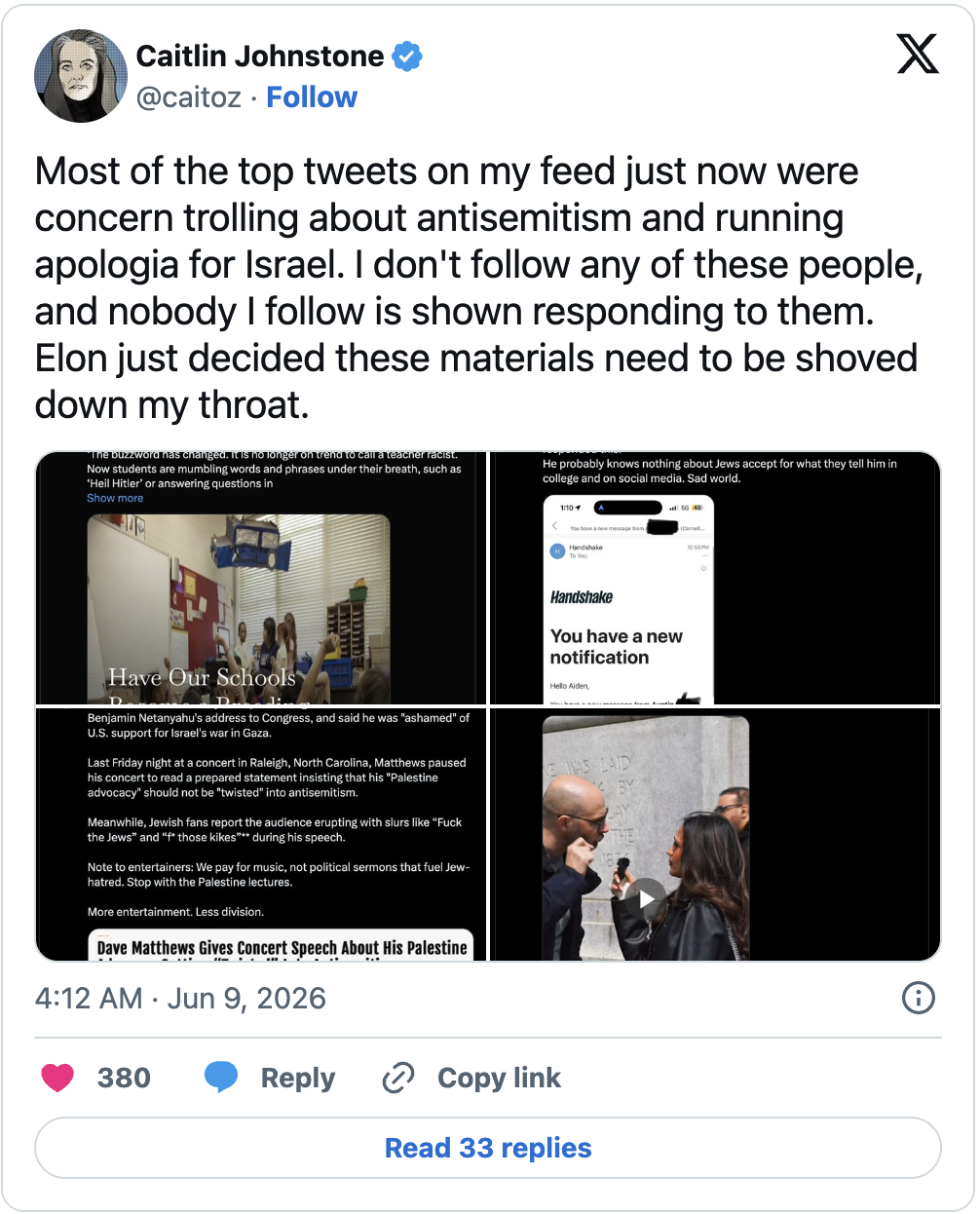
Today the Twitter algorithm served me up a bunch of Zionist tweets from accounts I’ve never followed, right at the top of my “For You” feed. Elon and company decided on my behalf that this is the kind of information I need to be consuming, so they’ve taken it upon themselves to shove it down my throat without my permission.
As Silicon Valley algorithm manipulation gets more and more aggressive in force-feeding us the official narrative of the day, we have to get a bit clever in making sure we see the information our rulers don’t want us to see. I like to use Twitter Lists for this, because for all its flaws Twitter is still where the journalists hang out and remains a great place for staying on top of the news if you can figure out how to cut through all the bullshit.
Lists are great if you have a limited number of go-to accounts you want to make sure you see, rather than relying on the worthless algorithm in the “For You” tab or seeing every single tweet by every single person you follow in the “Following” tab. You can create your own list and fill it up with all the reporters, analysts and commentators you enjoy, and it will show you their posts in chronological order.
Here’s how you make one:
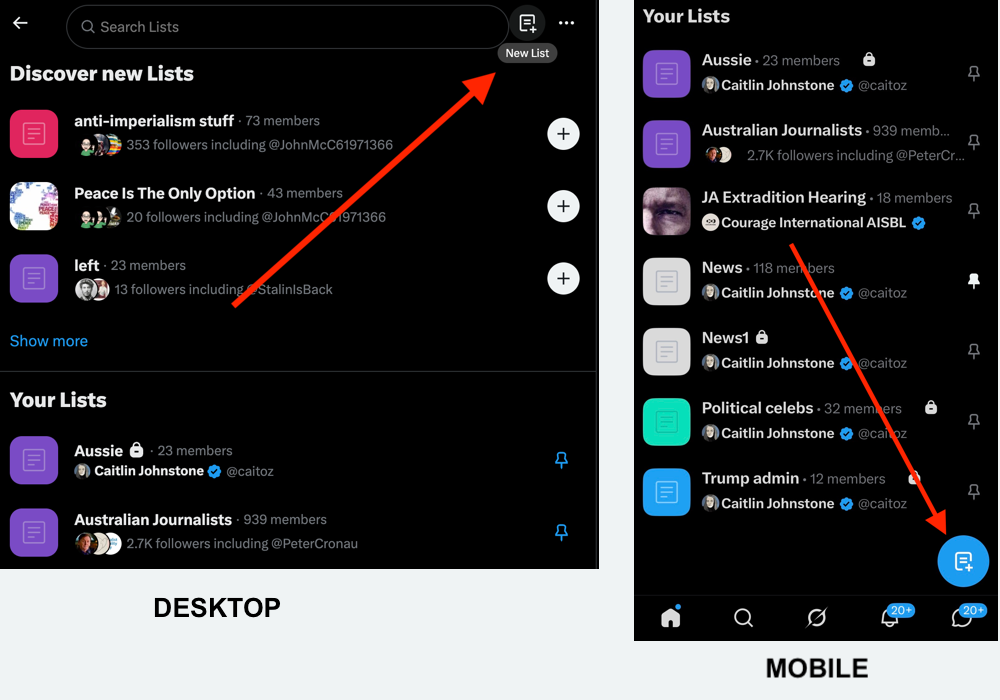
- Go to the menu, select Lists and hit the New List option.
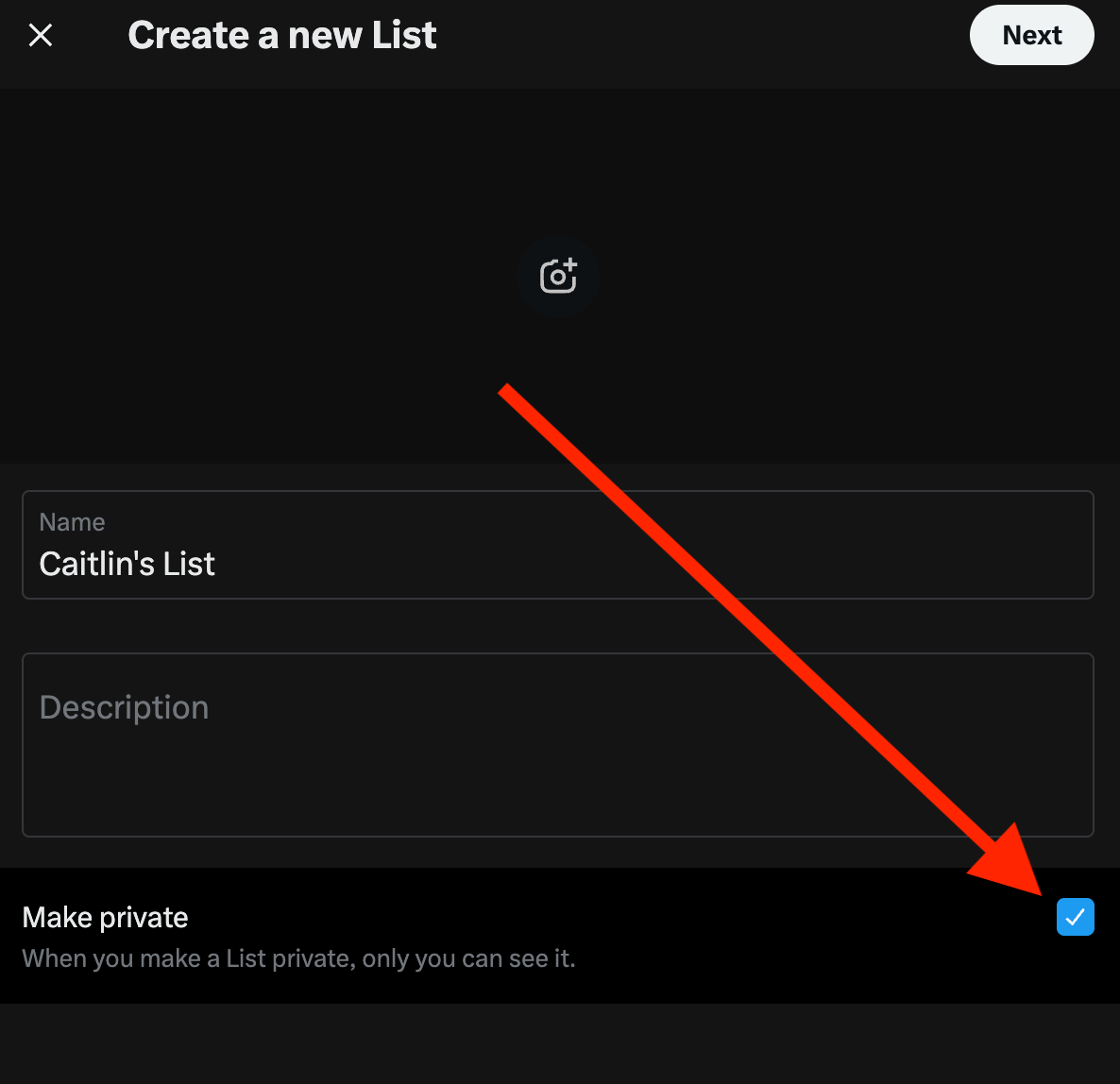
2. Name your list. Check “Make private” if the list is for your own personal use and/or if you don’t want people to be notified when you add them, then click “Next”.
3. Search for the accounts you want on your list and click “Add”.
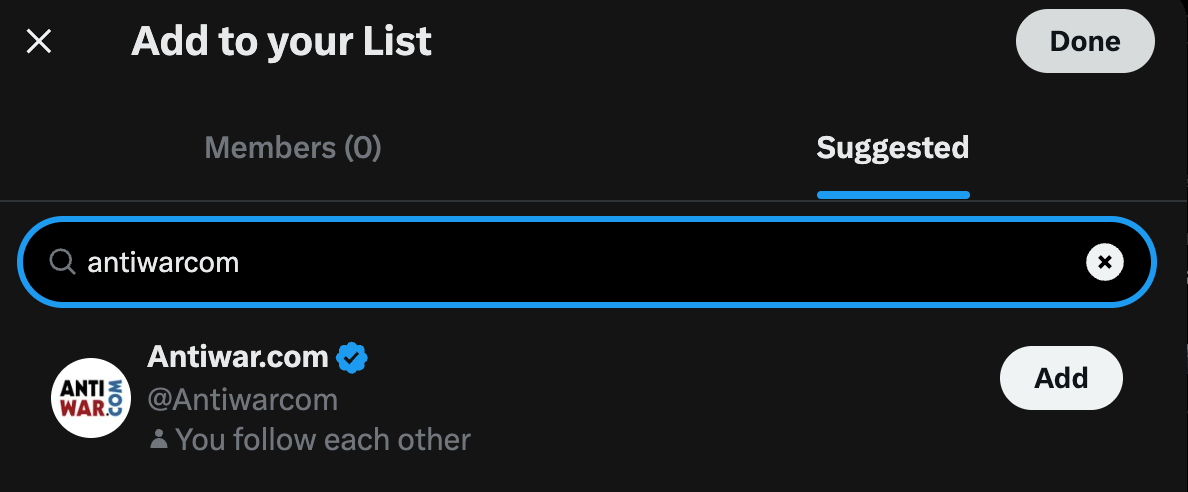
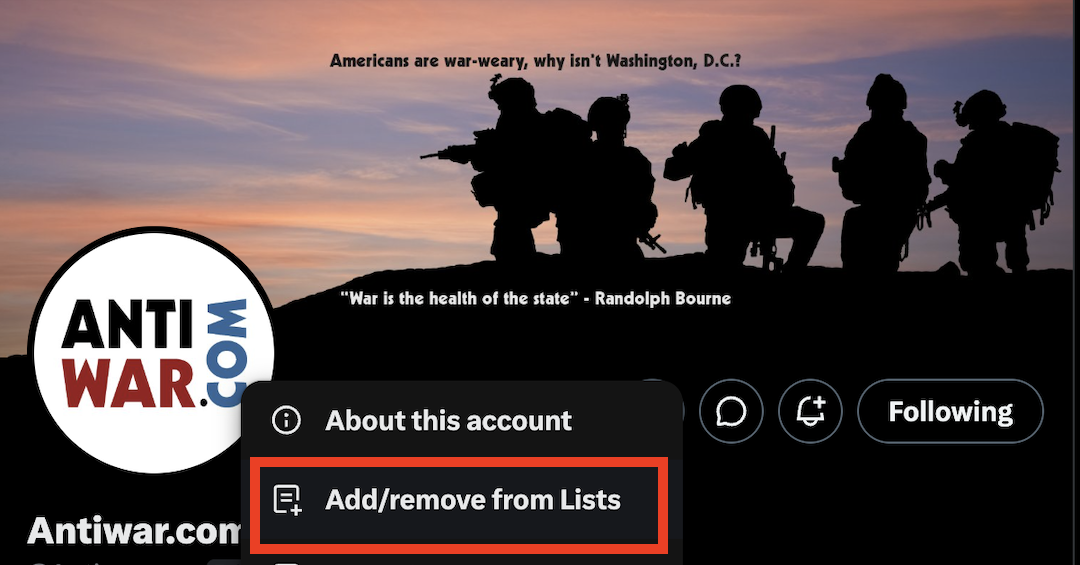
4. Now you can add accounts to your list by going to their Twitter page and clicking “Add/remove from lists,” adding them by selecting the name of the list you made.
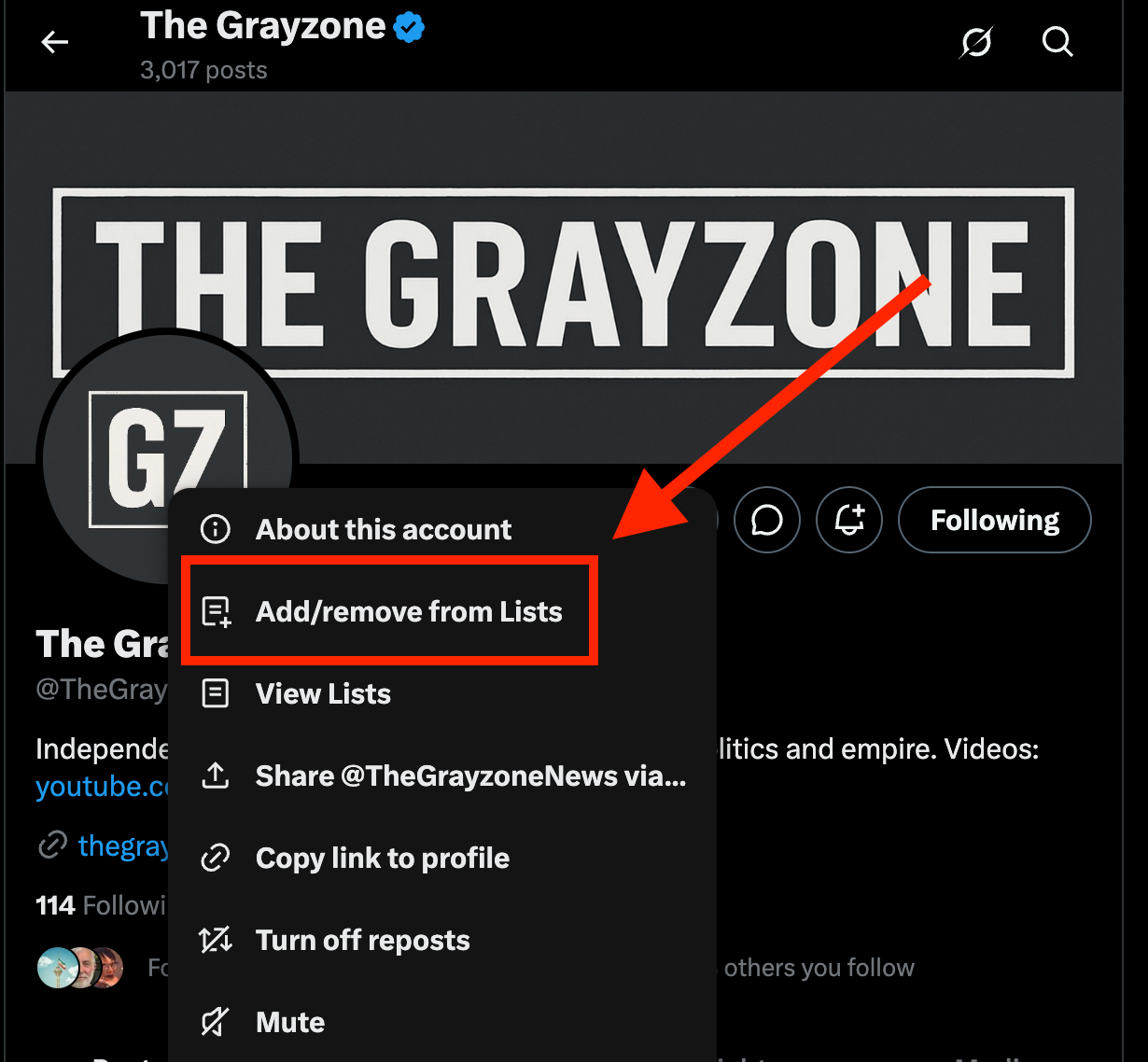
And you’re done. Now you can go to your list whenever you want to see the content you’re actually here for, either by going to “Lists” and clicking yours or by using a bookmark.
Here’s a video tutorial on making your own Twitter List for those who find videos easier to follow:

In case anyone finds it useful, here’s a link to a public Twitter list I made that’s full of accounts I’ve found helpful for staying on top of current events. Feel free to subscribe to it, or pick out the accounts you like and add them to your own list.
Just figured I’d put this out there in case anyone finds it helpful.
By Caitlin Johnstone